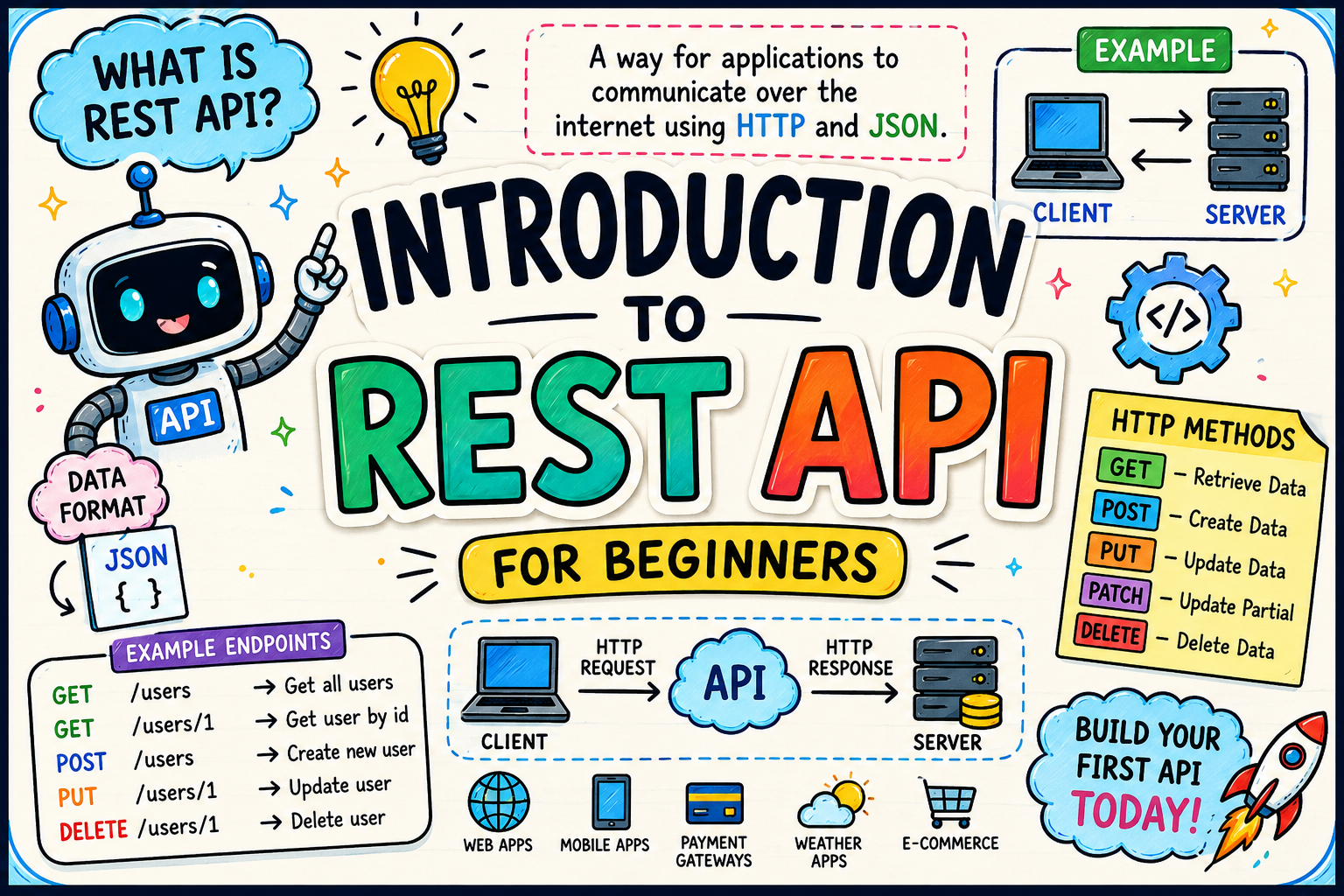


What is REST API? A Beginner-Friendly Guide with Real Examples

anvior
May 22, 2026
Introduction
If you are starting web development or learning backend programming, you will hear the term “REST API” everywhere. Modern websites, mobile applications, and software systems use REST APIs to communicate with each other.
But many beginners feel confused when they hear words like:
- API
- REST
- JSON
- Endpoints
- HTTP requests
In this guide, you will learn everything in a simple and beginner-friendly way with real examples that are easy to understand.
What is an API?
API stands for Application Programming Interface.
An API allows two applications to communicate with each other.
Real-Life Example
Imagine you are in a restaurant.
- You are the customer.
- The kitchen prepares food.
- The waiter takes your order to the kitchen and brings back your food.
Here:
- Customer = Client
- Kitchen = Server
- Waiter = API
The API acts like a messenger between the client and server.
What is REST?
REST stands for:
Representational State Transfer
It is a set of rules or architecture style used to build APIs.
When an API follows REST principles, it is called a REST API or RESTful API.
REST APIs are widely used because they are:
- Simple
- Fast
- Lightweight
- Easy to understand
How REST API Works
A REST API works using HTTP requests.
The client sends a request to the server.
The server processes the request and sends back a response.
Example Flow
Step 1 — Client Sends Request
GET /users/1This means:
“Give me the user whose ID is 1.”
Step 2 — Server Sends Response
{
  "id": 1,
  "name": "John",
  "email": "john@example.com"
}
The data is usually returned in JSON format.
Understanding JSON
JSON stands for:
JavaScript Object Notation
It is a lightweight format used to exchange data.
Example JSON
{
  "name": "Raj",
  "age": 25,
  "city": "Chennai"
}
JSON is easy for humans and machines to read.
Common HTTP Methods in REST API
REST APIs mainly use these HTTP methods.
| Method | Purpose |
|---|---|
| GET | Fetch data |
| POST | Create new data |
| PUT | Update existing data |
| PATCH | Update partial data |
| DELETE | Remove data |
GET Method Example
GET is used to retrieve data.
Request
GET /productsMeaning
“Give me all products.”
POST Method Example
POST is used to create new data.
Request
POST /productsBody Data
{
  "name": "Laptop",
  "price": 50000
}
This creates a new product.
PUT Method Example
PUT updates complete data.
PUT /products/1{
"name": "Gaming Laptop",
"price": 75000
}DELETE Method Example
DELETE removes data.
DELETE /products/1This deletes product ID 1.
What is an Endpoint?
An endpoint is a URL used in an API.
Example
https://example.com/api/usersHere:
/api/usersis the endpoint.
Endpoints help access specific resources.
What is a Resource?
In REST API, everything is treated as a resource.
Examples:
- users
- products
- orders
- customers
Each resource has its own endpoint.
| Resource | Endpoint |
|---|---|
| Users | /users |
| Products | /products |
| Orders | /orders |
Real-World REST API Example
Suppose you use a shopping app.
When you open the app:
- The app sends a request to the server.
- The server fetches products from the database.
- The server returns product data in JSON.
- The app displays the products.
This communication happens using REST APIs.
REST API Example in Node.js
Here is a simple REST API using Express.js.
Install Express
npm install expressCreate server.js
const express = require('express');

const app = express();

app.get('/hello', (req, res) => {
    res.json({
        message: 'Hello World'
    });
});

app.listen(3000, () => {
    console.log('Server running on port 3000');
});
Run Server
node server.jsVisit:
http://localhost:3000/helloOutput:
{
  "message": "Hello World"
}
Advantages of REST API
REST APIs are popular because they provide many benefits.
1. Easy to Learn
REST APIs are beginner-friendly.
2. Fast Performance
They use lightweight JSON data.
3. Platform Independent
Any programming language can use REST APIs.
Examples:
- JavaScript
- PHP
- Python
- Java
- C#
4. Scalable
REST APIs work well for small and large applications.
REST API vs SOAP API
| REST API | SOAP API |
|---|---|
| Lightweight | Heavy |
| Uses JSON | Uses XML |
| Faster | Slower |
| Easy to learn | Complex |
| Popular in modern apps | Used in enterprise systems |
Where REST APIs Are Used
REST APIs are used almost everywhere.
Examples:
- Mobile apps
- E-commerce websites
- Social media apps
- Payment gateways
- Weather applications
- Banking systems
Popular companies using APIs:
Beginner Tips to Learn REST APIs
If you are starting:
- Learn HTTP methods first.
- Understand JSON properly.
- Practice using Postman.
- Create small APIs using Node.js or PHP.
- Test APIs regularly.
Tools Used for REST APIs
Postman
A popular tool for testing APIs.
Swagger
Used for API documentation.
Conclusion
REST APIs are one of the most important technologies in modern web development.
They help different applications communicate easily using HTTP requests and JSON responses.
If you understand:
- HTTP methods
- Endpoints
- JSON
- Client-server communication
then learning REST APIs becomes very easy.
Start with small examples, practice daily, and gradually build real projects. Once you understand REST APIs, backend development becomes much easier to learn.
Popular Tags:
Was this article helpful?
Thanks for reading!Latest blogs







0 Comments
Your Views Please!
Your email address will not be published. Required fields are marked *